How to Connect a Laser Distance Sensor to Arduino (UART/TTL)
I lost most of a Friday to a sensor that kept returning 8191. Every single read. Not noise, not drift — the same number, forever. It turned out to be two things stacked: I’d wired the module to 5 V while its logic wanted 3.3 V, and I had the baud rate set to 9600 when the datasheet for that unit said 115200. The 8191 was the module’s “no valid target” flag, which it had been reporting faithfully the whole time. I just wasn’t listening at the right speed.
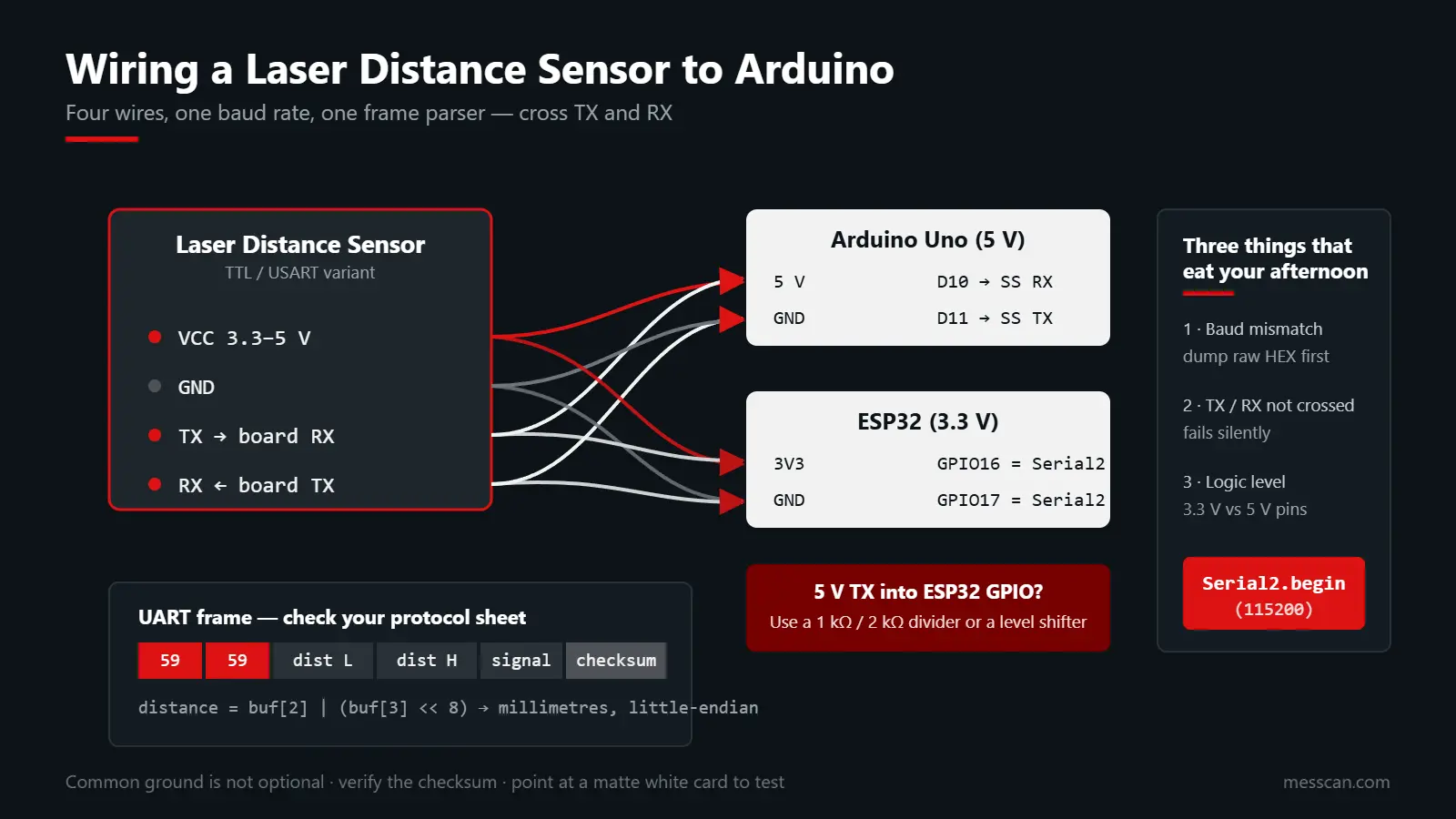
That failure is the reason this guide exists. Connecting a laser distance sensor to Arduino is genuinely simple — four wires and a serial port — but three specific details eat people’s afternoons: voltage level, baud rate, and frame parsing. Sort those out first and you’ll have millimetres on the serial monitor in under ten minutes.
What You Need
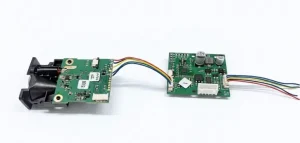
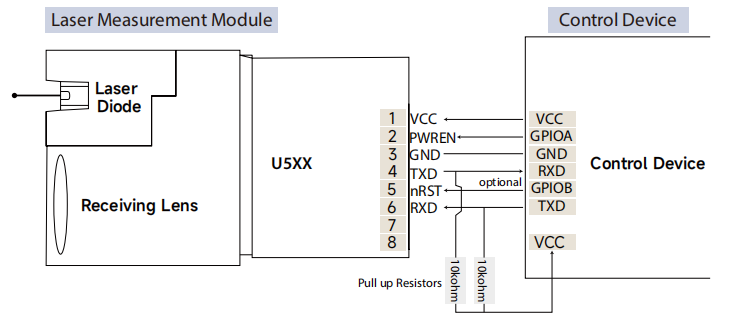
- A laser distance sensor module with a TTL / USART interface (our phase-based series exposes USART, RS485, and RS232 variants; pick the TTL one for MCU work)
- An Arduino Uno / Nano, or an ESP32 dev board
- Four jumper wires, and a 1 kΩ + 2 kΩ resistor pair or a level shifter if you’re mixing 5 V and 3.3 V
- A USB cable and the Arduino IDE
If your module is the RS485 variant instead of TTL, you’ll need an RS485 transceiver board (MAX485 or similar) between the sensor and the board. The protocol discussion below still applies; only the physical layer changes. We break down the tradeoffs in the RS485 vs Modbus vs CAN guide.
Wiring: Arduino Uno vs ESP32
The pinout is the easy part. The voltage is where boards get cooked.
| Sensor pin | Arduino Uno (5 V) | ESP32 (3.3 V) | Notes |
|---|---|---|---|
| VCC | 5 V (if module rated 5 V) | 3.3 V or 5 V per datasheet | Check the label; many modules accept 3.3–5 V |
| GND | GND | GND | Common ground is not optional |
| TX | Pin 10 (SoftwareSerial RX) | GPIO16 (Serial2 RX) | Sensor transmits, board receives |
| RX | Pin 11 (SoftwareSerial TX) | GPIO17 (Serial2 TX) | Needs level shifting on 5 V boards if module is 3.3 V only |
Two rules I now follow without exception:
- Cross TX and RX. Sensor TX goes to board RX. Getting this backwards is the single most common wiring mistake, and it fails silently.
- Watch the logic level on ESP32. ESP32 pins are 3.3 V tolerant. A 5 V module TX line into an ESP32 GPIO can damage the pin. Either pick a 3.3 V module, or drop the line with a voltage divider (1 kΩ in series, 2 kΩ to ground gives you roughly 3.3 V from 5 V).
If you’re shopping for an esp32 laser distance sensor pairing specifically, ask for the TTL variant rated at 3.3 V and this whole section becomes two wires and ground.
Set the Baud Rate Before You Write Any Code
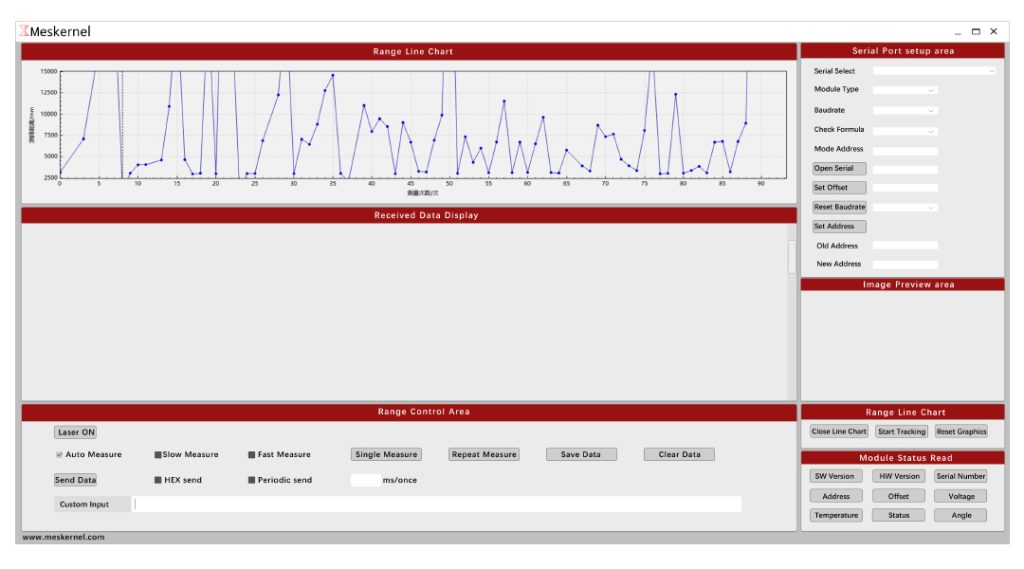
Baud mismatch is failure number one. It presents as garbage characters, or as a plausible-looking but frozen number. The fix is dull: read the datasheet, set the same value in code, and confirm with a test.
Common defaults across our modules are 9600 and 115200. Some units let you change it over a config command; if yours does, write the new baud to non-volatile memory or it reverts on power cycle.
// Quick sanity check: dump raw bytes before you try to parse anything.
void setup() {
  Serial.begin(115200);        // USB -> PC
  Serial1.begin(115200);       // <- must match the module's baud
}
void loop() {
  while (Serial1.available()) {
    Serial.print(Serial1.read(), HEX);
    Serial.print(' ');
  }
}
If that dump shows a repeating pattern with a stable first byte, you’re in business. If it shows FF FF FF or nothing at all, stop and fix wiring or baud before going further. Parsing code written on top of a broken link just produces confident nonsense.
Reading the UART Frame
Our modules send one of two things, depending on series and configuration:
Binary frames — fixed length, with a header byte (or two), distance bytes, and a checksum. The distance is usually little-endian, in millimetres.
ASCII text — human-readable, terminated with \r\n, something like D=1234mm or 12.345 m.
Check your model’s protocol sheet for the exact frame. The shape below is the generic pattern, with the tunable parts named so you can adapt it in a minute:
[HEADER][HEADER][DIST_LOW][DIST_HIGH][SIGNAL][TEMP][CHECKSUM]
   0x59   0x59     ..        ..        ..      ..     ..
The parser pattern that matters is the same either way: find the header, then wait for a full frame, then verify the checksum. Never parse from a partial buffer.
// Generic fixed-length binary frame reader.
// Set these three to match your module's protocol sheet.
static const uint8_t HDR1 = 0x59;
static const uint8_t HDR2 = 0x59;
static const uint8_t FRAME_LEN = 9;

uint8_t buf[FRAME_LEN];
uint8_t idx = 0;

bool readFrame(Stream &s, uint16_t &dist_mm) {
  while (s.available()) {
    uint8_t b = s.read();

    // Look for the header pair to synchronise the stream.
    if (idx == 0 && b != HDR1) continue;
    if (idx == 1 && b != HDR2) { idx = (b == HDR1) ? 1 : 0; continue; }

    buf[idx++] = b;
    if (idx < FRAME_LEN) continue;
    idx = 0;

    // Distance: two bytes, little-endian, millimetres.
    dist_mm = buf[2] | (buf[3] << 8);

    // Checksum: sum of bytes 0..FRAME_LEN-2, low byte.
    uint8_t sum = 0;
    for (uint8_t i = 0; i < FRAME_LEN - 1; i++) sum += buf[i];
    return sum == buf[FRAME_LEN - 1];
  }
  return false;
}
A checksum check is not optional. I’ve watched a team chase a “sensor drift” bug for two weeks that turned out to be a single corrupted byte from an unshielded cable running past a stepper driver.
ASCII mode alternative
If your module is configured for text output, the whole parser collapses to this:
String line = Serial1.readStringUntil('\n');
line.trim();
if (line.startsWith("D=")) {
  int mm = line.substring(2).toInt();
  Serial.print("Distance: "); Serial.print(mm); Serial.println(" mm");
}
Full Arduino Sketch
#include <SoftwareSerial.h>

SoftwareSerial lidar(10, 11);   // RX, TX (cross-wired to sensor TX, RX)
static const uint32_t MODULE_BAUD = 115200;

void setup() {
  Serial.begin(115200);
  lidar.begin(MODULE_BAUD);
  Serial.println(F("laser distance sensor arduino demo"));
}

void loop() {
  uint16_t mm;
  if (readFrame(lidar, mm)) {
    Serial.print(F("Distance: "));
    Serial.print(mm);
    Serial.println(F(" mm"));
  }
  delay(50);   // match or exceed the module's output rate
}
On an ESP32, replace SoftwareSerial with the hardware Serial2 — software serial at 115200 is unreliable:
#define RXD2 16
#define TXD2 17
void setup() {
  Serial.begin(115200);
  Serial2.begin(115200, SERIAL_8N1, RXD2, TXD2);   // hardware UART, rock solid
}
Raspberry Pi and Python
Same four wires, different library. If your controller is a Pi, take the TTL lines to GPIO14/GPIO15 (/dev/serial0) after disabling the login console in raspi-config.
import serial

ser = serial.Serial("/dev/serial0", baudrate=115200, timeout=1)

while True:
    if ser.read(1) == b"\x59" and ser.read(1) == b"\x59":
        frame = ser.read(7)                     # remaining bytes of a 9-byte frame
        dist = frame[0] | (frame[1] << 8)       # mm, little-endian
        print(f"{dist} mm")
When Nothing Works: A Checklist
Run these in order. I keep this list taped to the bench.
- Is the baud right? Dump raw hex first. Always.
- Are TX and RX crossed? Swap them once. If the reading appears, you had it backwards.
- Is there a common ground? A floating ground produces noise that looks exactly like a bad sensor.
- Is the logic level safe? 5 V into an ESP32 GPIO is a board you’ll be replacing.
- Does the target actually reflect? Point it at a matte white card at 1 m. Glass, mirrors, and black rubber will “fail” a perfectly good module.
- Are you inside the range? Too close and you’re under the minimum; too far and you get the no-target flag.
- Is the supply stiff enough? Some modules draw a current spike on each measurement burst. A weak USB port gives you intermittent dropouts.
The ttl interface laser distance sensor variants are the ones built for this kind of bench work — short runs, direct MCU connection, no transceiver. Once a design leaves the bench and goes into a machine with long cable runs, move up to RS485.
FAQ
Can I connect a laser distance sensor directly to Arduino?
Yes, if it’s the TTL/USART variant. Four connections: VCC, GND, sensor TX to board RX, sensor RX to board TX. Match the baud rate from the datasheet.
Why do I keep reading the same wrong number?
Usually a no-target flag or a baud mismatch. Dump raw bytes before parsing. A frozen value like 8191 or 0 is the module telling you it sees nothing valid.
Do I need a level shifter for ESP32?
If the module’s TX outputs 5 V, yes — ESP32 GPIOs are 3.3 V. A 1 kΩ / 2 kΩ divider works; a proper level shifter is cleaner.
What library should I use?
For TTL modules, none. HardwareSerial (or SoftwareSerial under 9600 baud) plus the frame parser above is enough. A tof sensor arduino library only helps if your module speaks I2C, not UART.
Can I read more than one sensor on one Arduino?
On a Mega or ESP32 with multiple hardware UARTs, yes — one per port. On an Uno, software serial with two ports at high baud is asking for dropped frames.
How fast can I read?
Match your loop to the module’s output rate. A 100 Hz module gives you a fresh frame every 10 ms; polling faster just reads the same value twice.
Conclusion
Four wires, one baud rate, one frame parser. That’s the whole job. Get the voltage right, dump raw bytes before you trust a single number, and verify the checksum. Do those three and an arduino distance sensor project goes from a lost Friday to a coffee break.
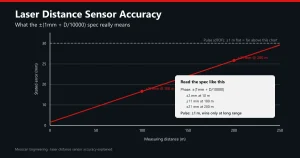
If you’re picking a module for a board-level design, look at the TTL variants in the laser distance measurement modules overview, and check the accuracy spec before you promise anyone a tolerance. Still deciding between principles? Start with phase vs pulse.
References
Arduino Serial reference — configuration, baud rates, and buffering behaviour. https://www.arduino.cc/reference/en/language/functions/communication/serial/
IEC 60825-1 — Safety of laser products, classification of laser radiation. https://www.iec.ch